World Map - Popularity of Social Networks around the World
Test Website Load Time with One Click
To rank well on the top search engines like Google, content rich website is not enough, the website should be a fast loading website also. Webmasters can decrease their website’s load time by analyzing which elements are taking too much time to load.
How to Test Website Load Time
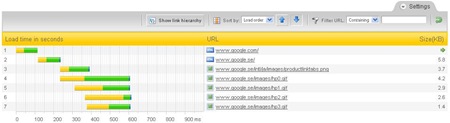
PINGDOM is one of the best website monitoring services. In addition to the monitoring, it offers a free online tool to test your website's load time. This tool will show you all information about a website like, the total time it takes to load the page, the total number of objects loaded, time taken by every element of the page. The loadtime will be shown visually with time bars.
The Full Page Test loads a complete HTML page including all objects (images, CSS, JavaScript's, RSS, Flash and frames/iframes). It mimics the way a page is loaded in a web browser.
Recently, one of their users gave a smart suggestion to them to make a bookmarklet for this tool. They created the following bookmark for webmasters who want to test and analyze the load time of any web page they are visiting.
Analyze load time
Simply drag the above link to your browser's favourites/bookmarks toolbar, so you will have a button and then you can test any web page load time instantly.
New Feature: Embedded Comment Form in Blogger Blog
Finally Blogger.com added the most most awaited feature in their blogging platform that is "Embedded Comment Form" like WordPress blogs. In the old comment system, the comment form was on a separate page so the commenter have to click the Post a Comment link to get to the form, causing for low comments. Most Blogspot Blogger's were complaining about this. Now with the new feature of “Embedded Comment Form” you can put the form at bottom of the post.
How to Embedded Comment Form
1) First you have to login to your Blogger.com account through http://draft.blogger.com/. To Enable this Comment Form you must have to login through http://draft.blogger.com/.
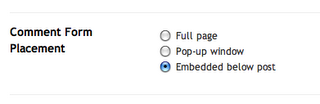
2) Choose your blog and Goto Settings >> Comments. Search for the "Comment Form Placement" setting and set the option to "Embedded Below Post" and Save Your Settings.
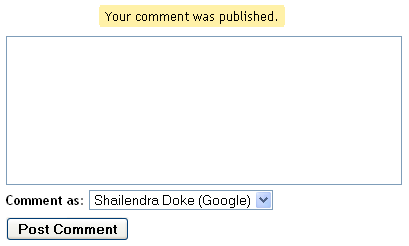
3) Now you should see a comment form below your post. If you don't see the comment form then read the information below very carefully.
Do you use Customized Template?
If you use customized or modified template then you need to replace some HTML code lines in your blog template to display this Comment Form on your blog. Just go through the following steps and you will find a new Comment Form below your post.
1) Go to your blogs Dashboard then go to Layout >> Edit HTML. Before editing the HTML just Backup your template so if you do any mistake, you won't loose anything.
2) Tick the Expand Widget Template option.
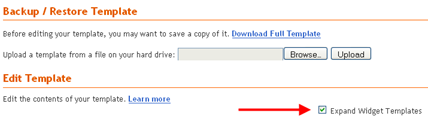
3) Find the Following code in the Template Editor. If you have difficulty finding the code, just search for postCommentMsg from your browsers search option.
<p class='comment-footer'> <b:if cond='data:post.allowComments'> <a expr:href='data:post.addCommentUrl' expr:onclick='data:post.addCommentOnclick'><data:postCommentMsg/></a> </b:if> </p>
4) If you found the above code then Replace it with the following code and Save Your Template.
<p class='comment-footer'> <b:if cond='data:post.embedCommentForm'> <b:include data='post' name='comment-form'/> <b:else/> <b:if cond='data:post.allowComments'> <a expr:href='data:post.addCommentUrl' expr:onclick='data:post.addCommentOnclick'><data:postCommentMsg/></a> </b:if> </b:if> </p>
Just go and check your blog’s post page, You will find a New Comment Form Embedded in the blog. You can see the form in action below this post and comment if you like this post or have question or difficulties implementing it in your blog.
With the comment form you can comment with Google Account, LiveJournal, WordPress, TypePad, OpenID, AIM, Name/URL, Anonymous. Though the form doesn’t look like professional one, but it is very useful feature for Blogger's.
What other blogger's say about this feature, Amanda from bloggerbuster.com and Jacky from jackbook.com.
Create Disposable Web Notes That Disappear After Being Read
Want to share any secret message with someone? Here comes privnote to help!
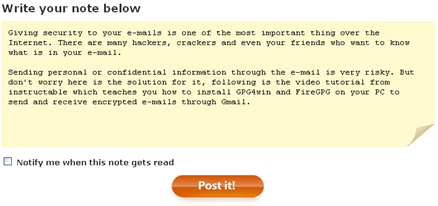
Privnote is a web service that can be used to send Private Notes over the Internet. This is very useful for sending secret messages that self-destruct or becomes unavailable as soon as they are read.
How to use privnote?
Simple, head over to privnote and type your secret message in the space provided and you will be given a link, you can send this link via e-mail, IM to whom you want to show the secret message, once the link is clicked the message is destroyed so it can only be seen once.
This service has a read receipt option also, if you check the notify option then you will be notified as soon as your message gets read by the recipient. If you send a note and suddenly regret having done so, you can click the link yourself which will destroy the note and prevent the receiver to read it. [Thanks to Digital Inspiration]
Top Posts of June 2008
Here are Top 5 Digital Passion Posts of June that attracted readers towards this blog.
1) Eclipse Intuit Phone with Solar Panels
Intuit is a concept phone created by designer Eddie Goh. The best feature of this phone makes it unique that is a chemically based thin solar panels which charges the battery when exposed to any kind of light. Phones containing these kind of features makes our life mobile.
2) Yahoo: New Ymail.com extension
Yahoo launched its two new domains for free email services, the domains are Ymail.com and Rocketmail.com. If you missed your name in yahoo.com email service then you can register your email address with your name on Ymail.com or Rocketmail.com.
3) All new Rapidshare is coming soon
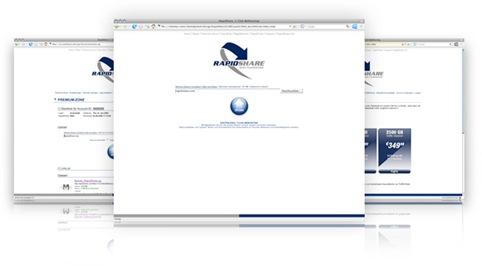
Rapidshare.com - the most popular hosting service is now re-launching their website. Here's what they say -
"We are going to launch our new website soon. We have changed our design and improved the usability."
4) USBCELL - Rechargeable and Recyclable AA Batteries
The USBCELL AA battery, invented by UK based Moixa Energy Ltd. Its the best power for your portable gadgets that you always need to recharge to use. This NiMH AA cell can be used like a normal battery and can be recharged simply by plugging into a USB port.

5) 56 Types of Geek (pic)
Related: Top Posts of February 2008
30 useful Yahoo! Mail Keyboard Shortcuts
Following is the list of keyboard shortcuts for Yahoo! Mail. For making your emailing experience better Yahoo! provides you the interface to Yahoo! Mail with Keyboard also. With the help of following Yahoo! Mail Keyboard Shortcuts you will reduce your trips to the mouse and can reduce the pain (future problems) of your hand which are being caused by mouse.
Yahoo! Mail Keyboard Shortcuts
| Key | For the Task |
| m | Check Mail |
| Shift+m | Check All Mail |
| Ctrl+\ | Close Current Tab |
| n | Write New Message |
| r | Reply |
| a | Reply All |
| f | Forward Message |
| k | Mark As Read |
| Shift+k | Mark As Unread |
| l (L) | Flag |
| Shift+l (L) | Clear Flag |
| del | Delete Item |
| p | |
| Ctrl+s | Save Draft |
| Ctrl+Enter | Send Message |
| v | Turn Reading Pane On/Off |
| Ctrl+[ | Navigate Through Tabs - Leftwards |
| Ctrl+] | Navigate Through Tabs - Rightwards |
| Enter | Select Message and Press Enter to Open it in its own tab |
| Enter | Select Contact and Press Enter to Edit Contact |
| Ctrl+f | Find Word or Phrase in Message |
| F11 | Expand Window to its Max Height |
| Ctrl+.(period) | Next Message (In Message Tab) |
| Ctrl+, | Previous Message (In Message Tab) |
| Ctrl+Shift+End | Skip to Oldest Unread Message |
| d | Move Message to a Folder (Dropdown List of Folder Name) |
| Esc | Close Read-Message Tab |
| c | Start a New Chat |
Make your experience more better with these Yahoo! Mail Keyboard Shortcuts and if you know more Yahoo! Mail shortcuts or have doubt in these shortcuts, please add them in the comments below.
Hope you enjoy it!
Digg: Captcha Removed from shout/share box
If you like any story on Digg and wanted to share it to your friends on Digg through the Digg feature called shout then you have to go through the Captcha and press shout it button.
But today I found the Captcha was missing. You can check your self by clicking the share link below any story. I don’t know is this a technical problem or they really removed the Captcha from share/shout box. Below is a screenshot I took of that moment.
The arrow denotes the position of the Captcha which is missing. I checked it from other browsers also but the result was same. Please inform me if you are able to see the Captcha.
Related: Diggs April Fool's Day Joke?
Earth: Year 3000
New Blog Design and Logo
As you can see, this is my new Digital Passion theme. This is a Blogger Beta Design, I always wanted to have a professional looking theme. I was really bored with that classic theme, so I decided to design one new professional looking blogger beta theme for my self. It took me three weeks to get it completed. It was littlebit painful to play with the blogger beta template tags but finally the result is what you are watching.
I would love to get your feedback on this new blog theme and the new logo, though the design is completed but I will be making little changes as per the need and I need to know that What Do You Think about this new blog design. If you encounter any problems or have any suggestions then please tell me.
Hope you like the new Digital Passion Logo and Blog Theme.
I SEE SOMETHING CALLED “INTERNET”(Pic)
All new Rapidshare is coming soon
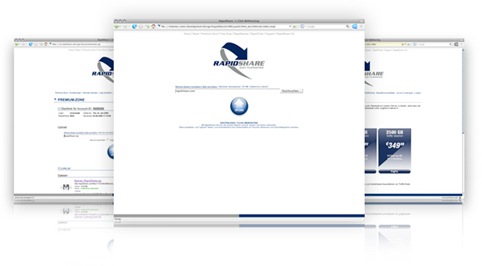
Rapidshare.com - the most popular hosting service is now re-launching their website, it will come with a new layout, according to Rapidshare, they have improved their sites usability, may be users will now be able to download information more easily. There is no info on when the new site will be live.
Here's what they say -
"We are going to launch our new website soon. We have changed our design and improved the usability."
Related: Gmail is now even more Faster.
Hackers Can Turn Your PC into a Bomb
Tabloid newspaper Weekly World News has reported this article in 2000. It says, this can be possible by doing some alteration in the Central Processing Unit, your computer blast apart like a large hand grenade.
[click the image to make it large] [via makeuseof.com]
Related: Find out Is Your Computer Secretly Connecting to Internet
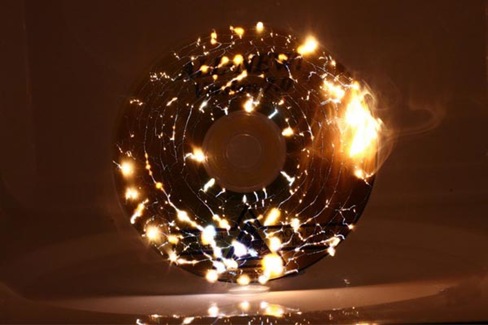
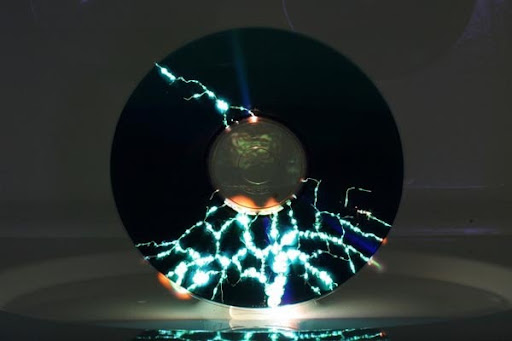
Have you seen the Microwaved CD

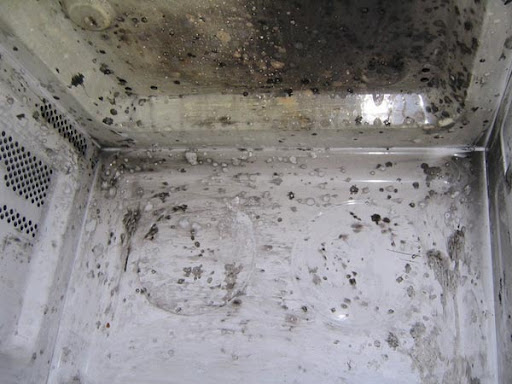
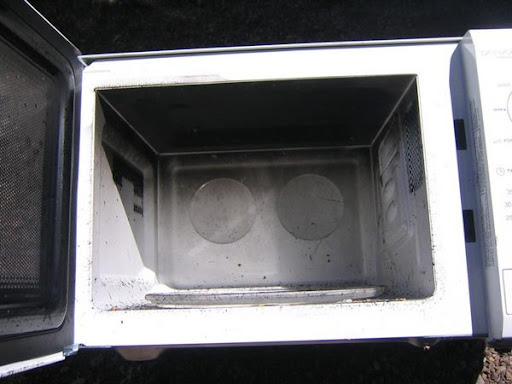
"We haven't nuked a CD since the 90s either, but maybe that's only because we didn't have the right camera setup to capture the digital destruction in all of its glory. The Wacky Archives features a few remarkable shots of our ex-favorite pastime and we strongly recommend it as an opulently wasteful way to burn 3 minutes of your precious Saturday. To see the price a microwave pays for its art, hit the jump." [Gizmodo]
[via Wacky Archives]
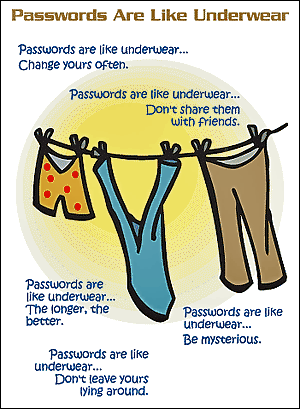
Passwords Are Like Underwear (Pic)
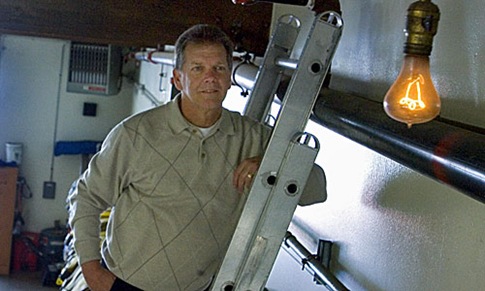
107 Year Old - The longest Burning Lightbulb in the World
A lightbulb in a firehouse in Livermore, CA, has been burning continuously since 1901. Unofficial keeper of the bulb, retired firefighter Tom Bramell reckons its longevity is down to old-fashioned craftsmanship.
"I believe the bulb has stayed alive so many years because the makers gave it a perfect seal, so no air gets inside the bulb to help disintegrate the carbon filament. This bulb operates in a vacuum and it doesn't burn hot. That's the secret." [Gizmodo]
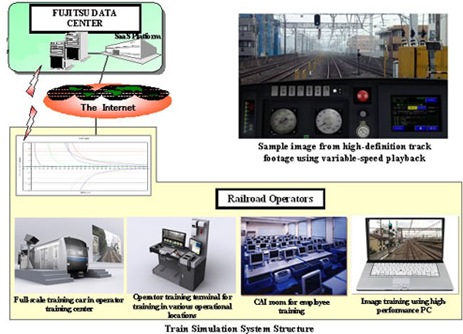
World's First High-Def Train Simulator
Fujitsu and video game maker Ongakukan jointly developed the world's most advanced train simulator. This simulator uses variable-speed playback technology and HD video that was shot on actual train lines.
Now trainees can have a better and more accurate learning experience as this simulator delivers an unprecedented level of realism. This simulator is now available commercially for three million yen ($29,000). [Gizmodo]

Related: Worlds Biggest Digg Logo
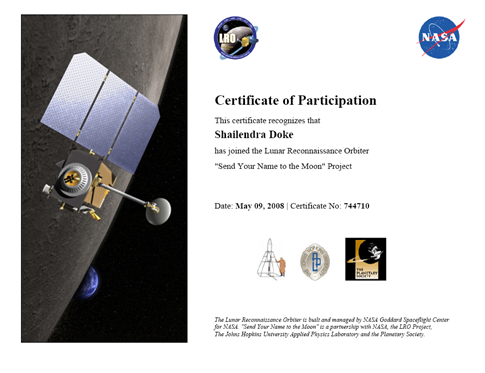
Send Your Name to the Moon
NASA is going to launch an unmanned spacecraft Lunar Reconnaissance Orbiter to the Moon in late 2008. The objective is to find safe landing sites, locate potential resources, characterize the radiation environment, and demonstrate new technology.
Show your support for this mission by giving your name. Names will be collected and placed onboard the LRO spacecraft for its historic mission bringing NASA back to the moon. You will also receive a certificate showcasing your support of the mission.
It is the golden opportunity to send your name to the moon, Sign up to send your name to the moon. The deadline is June 27, 2008 for the submission of names.
Thanks to Amit Agarwal.
Related: Get a Free Licence code of iolo System Mechanic - Download Now!
Worlds Biggest Digg Logo
You have seen the Worlds Smallest Digg Logo, which is created at just ~2 microns only. Now you can see the Worlds Biggest Digg Logo. This high resolution logo is created by DavianART. The resolution of this logo is 2560x1600.
Related: High Resolution Ubuntu Wallpapers
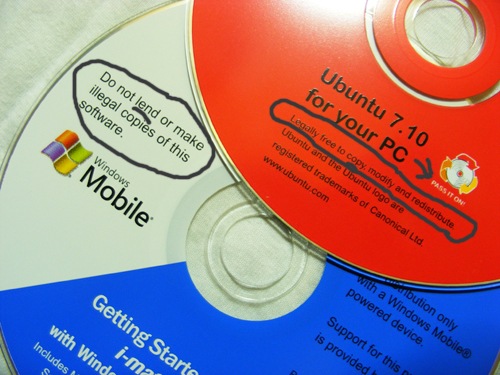
This is why I love Linux
Earth Day: Top 10 Views of Earth by NASA
To celebrate the beauty of our planet on Earth Day, NASA released ten most favorite photos taken by astronauts on the International Space Station.

An eruption from Cleveland Volcano in the Aleutian Islands
You can see all 10 views of Earth at ZDNet.com.